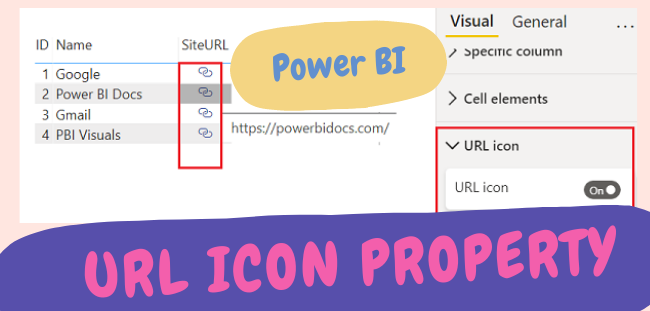
In this blog you will understand “How to convert a URL link field from Text to Hyperlink to Icon in Power BI?”
Note: – Power BI Desktop version Nov 2021 used for this example.
Sample Dataset

Load above dataset into Power BI desktop file and add above columns into table visual, it will look like as given below screen shot.

As you can see above site URL’s are not clickable because it is in Text form, so now you need to convert these URL’s into Hyperlink.
How to make Text field URL to Hyperlink or clickable?
Following below steps in order to convert Text URL to Web URL –
Select URL column > Choose Data category Web URL
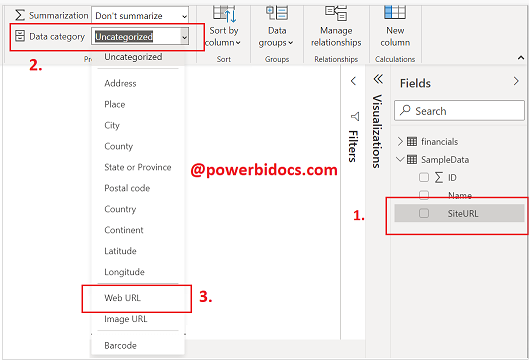
Web URL Power BISee the outcome, now these links are clickable.

How to convert Hyperlink to URL Icon
Select table visual > Go to format tab > Turn on URL Icon

Now you can see the URL icon given below screen shot.

Refer more Power BI Post – Power BI
Hope you enjoyed the post. Your valuable feedback, question, or comments about this post are always welcome.
